
Packed with operational benefits! Features of the latest Movable Type 8
2023.11.01
On November 1, 2023, the new version "Movable Type 8" of the CMS "Movable Type" was released!
We tried the beta version ahead of its release.
There were parts that made us relieved thinking "I'm glad it stayed the same!" and surprises thinking "Can it do things like this!?", so we would like to introduce a few of them.
The management screen is almost the same as before! You can work without any sense of discomfort!
There were no major changes to the management screens of Movable Type 7 and Movable Type 8. Although items have been added or removed, the look and structure remain the same as before.
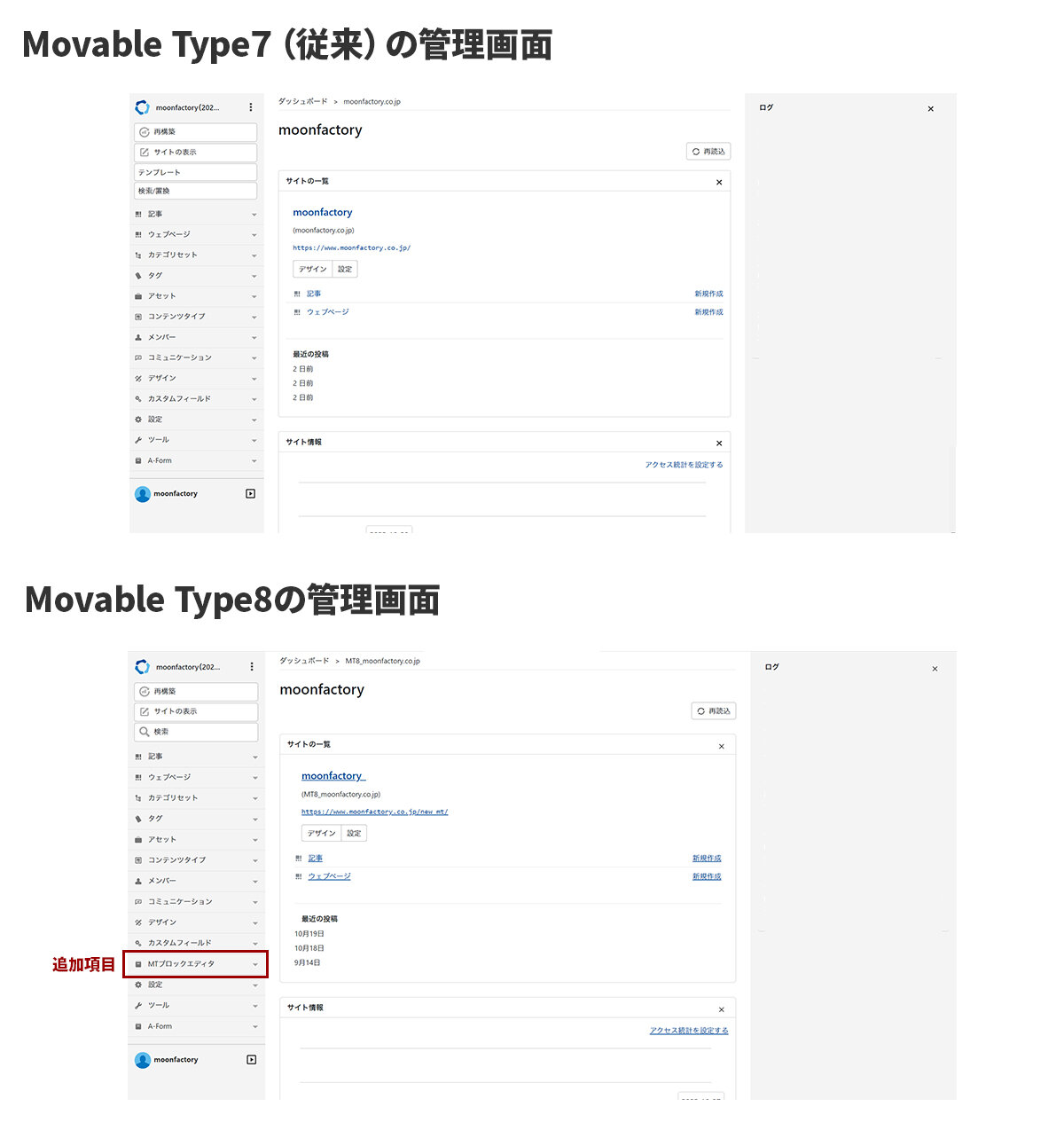
The most distinctive added item is the "MT Block Editor". This is a new feature implemented in Movable Type 8! It has made it possible to post articles in a way different from conventional rich text or HTML tag usage. If you want to use the block editor, configure the template settings here.
A block editor has appeared in the article format!
The block editor implemented in Movable Type 8 this time is a feature that allows people without specialized knowledge to relatively easily reflect complex-looking designs.
The block editor can be configured from "Format:" on the article posting page. Selecting "MT Block Editor" here displays a box inside dotted lines with "+ Add block" written on it.
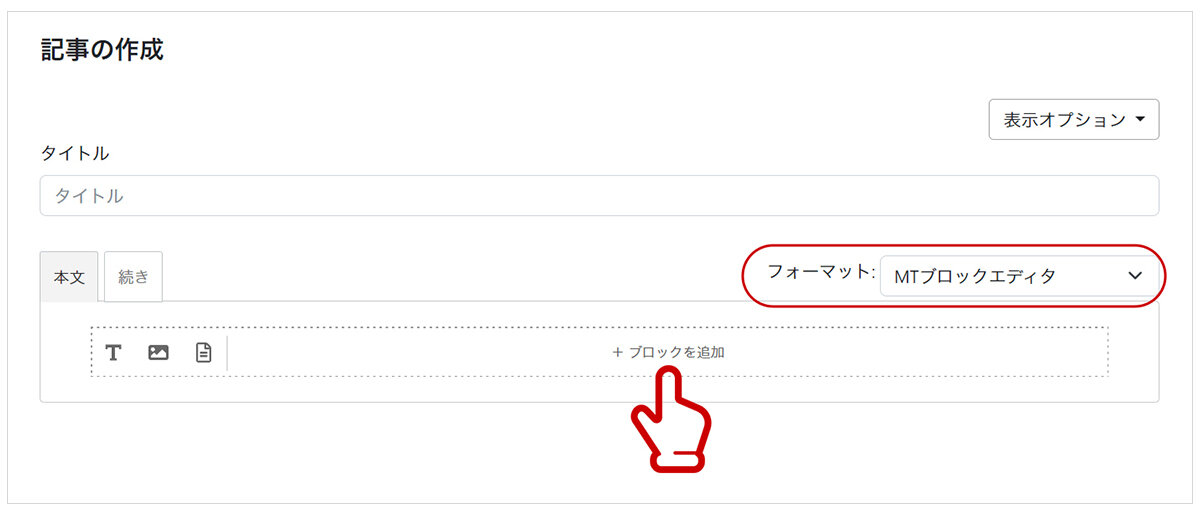
Let's click "+ Add block".
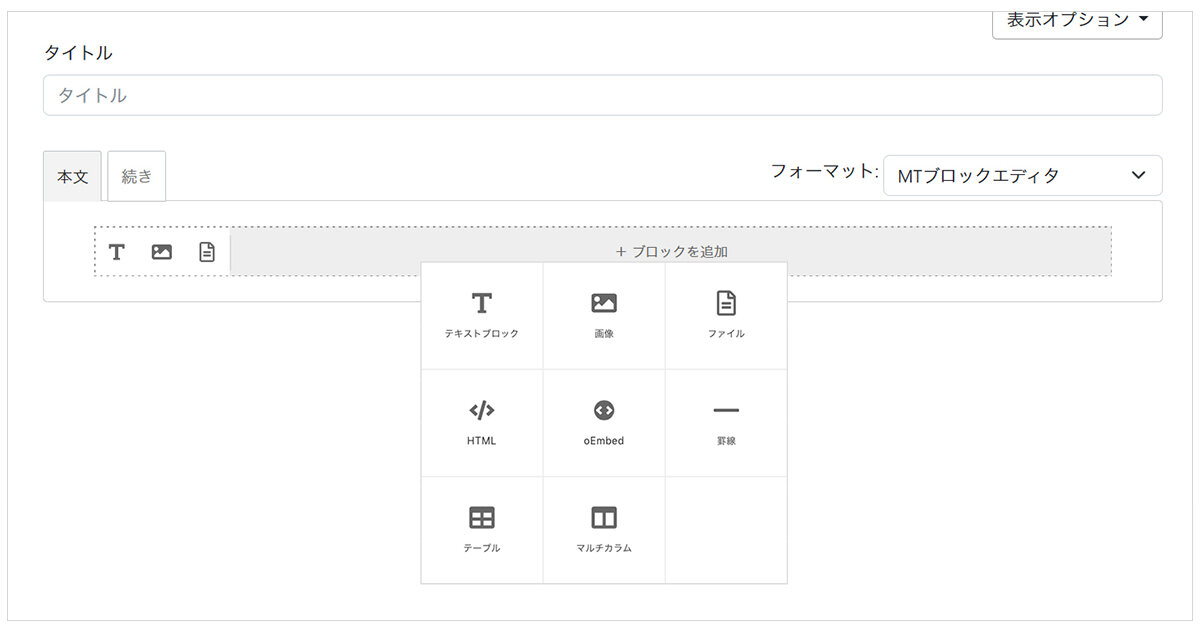
Lots of icons appeared! When we try selecting the "Multicolumn" icon...
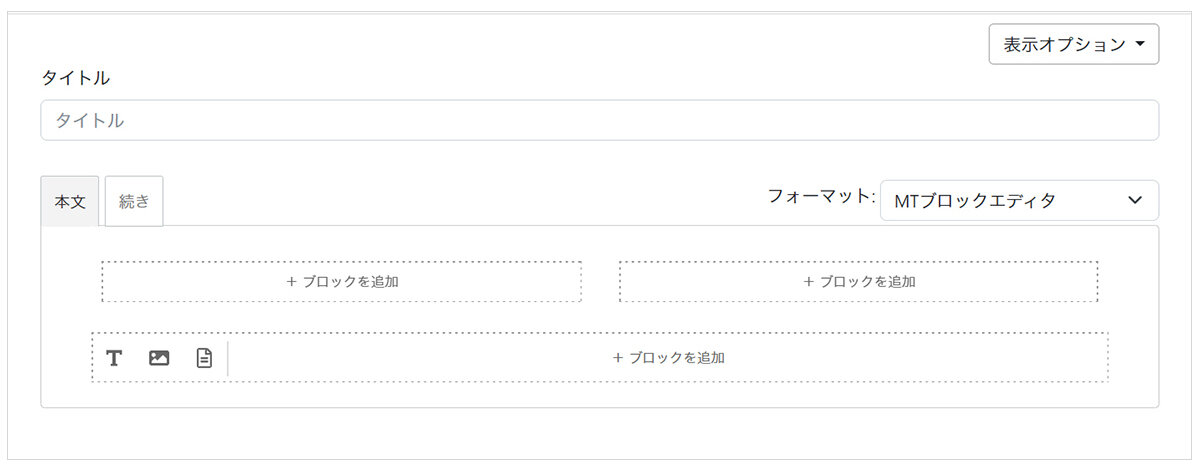
A block divided into two has been displayed!
Entering text into each of these blocks completes a two-column design.
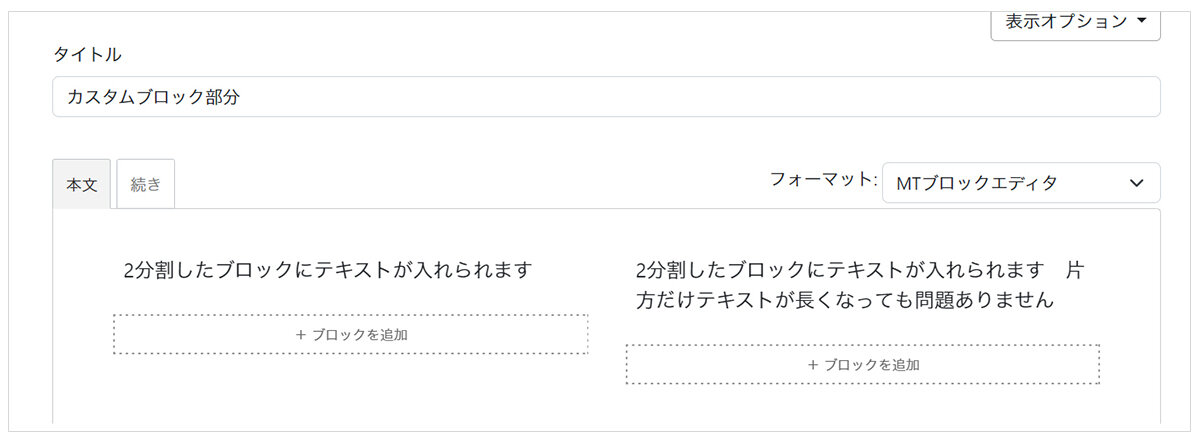
Even if the person in charge of updates is not familiar with HTML tags, they will be able to update articles without using tags.
Custom blocks that meet even more needs
While block editors are convenient, the built-in parts of Movable Type 8 are only generic ones that can be used on any website, which may not satisfy the design needs of many websites.
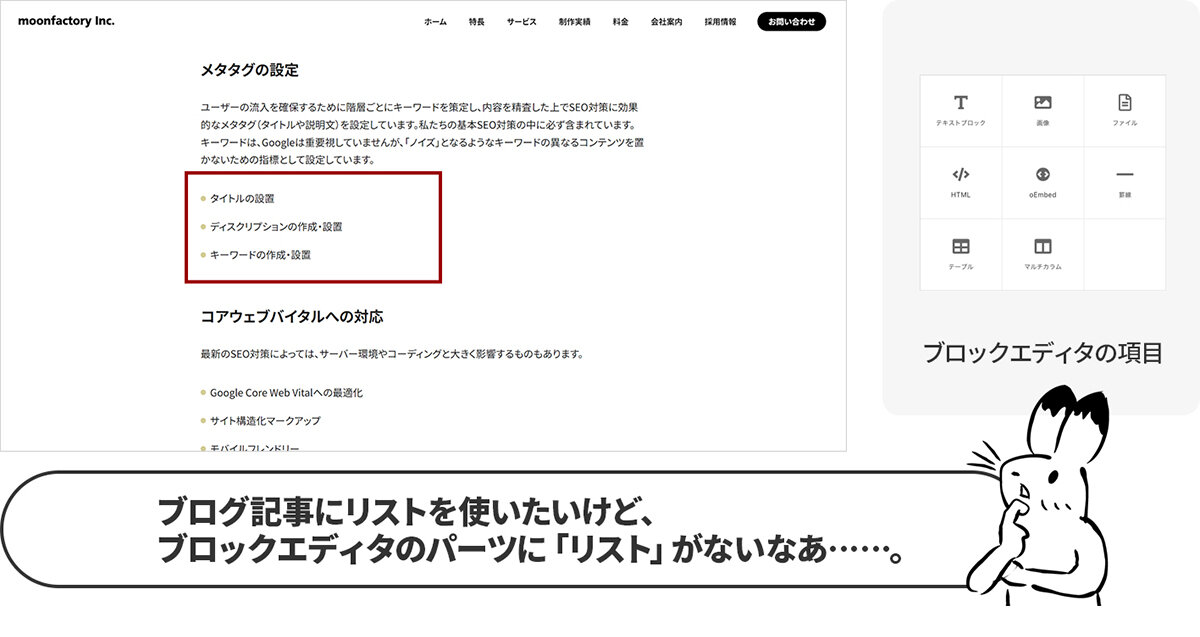
Movable Type 8 has introduced a feature called "Custom Blocks" that allows you to add block editors.
This feature allows you to set up original parts in addition to the pre-configured ones and use them in the block editor.
To use this feature, you need to add part settings in advance. Although specialized knowledge is required, considering the ease of operating the website, I think it is a feature worth setting up.
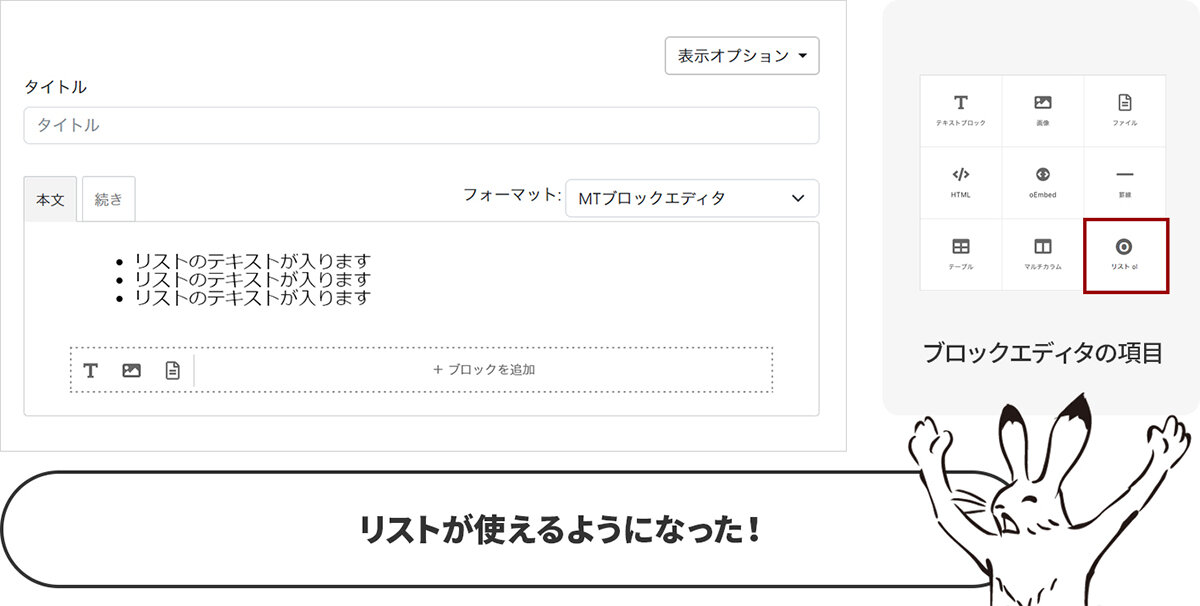
Making updates easier is a huge benefit because it allows more time to be spent enriching the website's content.
Shared preview without logging in!?
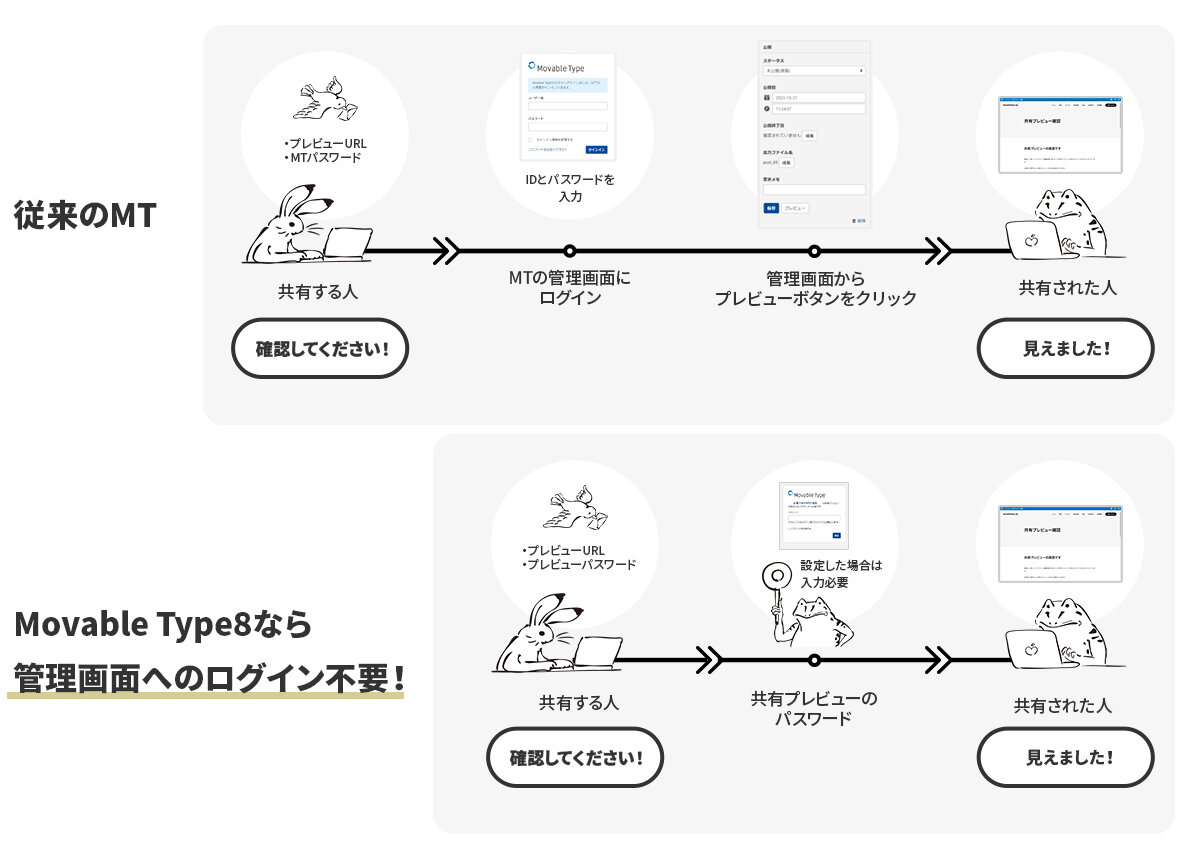
Until Movable Type 7, the mainstream method was to log in to the management site and preview from the article editing screen, or have people check screenshots of the screen.
Movable Type 8 has added a feature where you can preview without logging in simply by sending the article's preview URL. Since an authentication password can be set, security is also robust.
Conclusion
Movable Type 8 seemed to have more additions that make website operation easier compared to the conventional Movable Type 7. Since the look of the management screen has not changed drastically, those accustomed to Movable Type 7 should be able to operate it without any sense of incongruity.
Support for Movable Type 7 will end in the fall of 2025.
"Support is ending? What should I do......"
"I've been using another CMS until now, but I want to operate with Movable Type......"
If you are thinking along these lines, please feel free to consult Moon Factory! We look forward to hearing from you.