
Web Director Explains! The Difference Between Movable Type and WordPress
2024.02.20
When we are commissioned to build a website, we usually implement a CMS (Content Management System) for most cases, depending on the number of pages.
A CMS is a system for managing data such as web pages and images on a website.
By using a CMS, you can systematically manage your website data, making it easier to manage not only during construction but also during updates and operations, and it is said to be effective for SEO measures.
Although there are costs involved in implementation, there are many benefits during and after construction. Depending on the scale of the website, it may be possible to produce it at a lower cost using a CMS. Therefore, unless it is a single page like a landing page (LP), a CMS is almost always used.
CMS are sold and distributed by various companies, and there are several types.
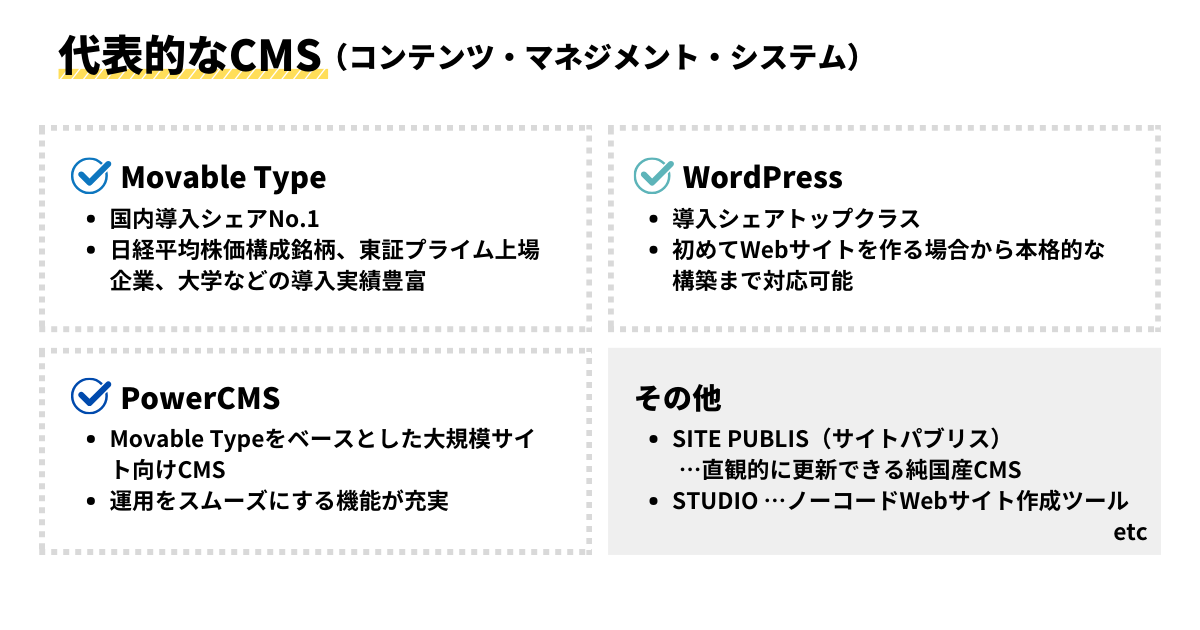
The choice of CMS depends on the scale and usage of the website to be created, as well as security considerations. Movable Type and WordPress are frequently inquired about.
Therefore, this time, we will explain the differences and key points between Movable Type and WordPress from the perspective of corporate PR staff and content managers.
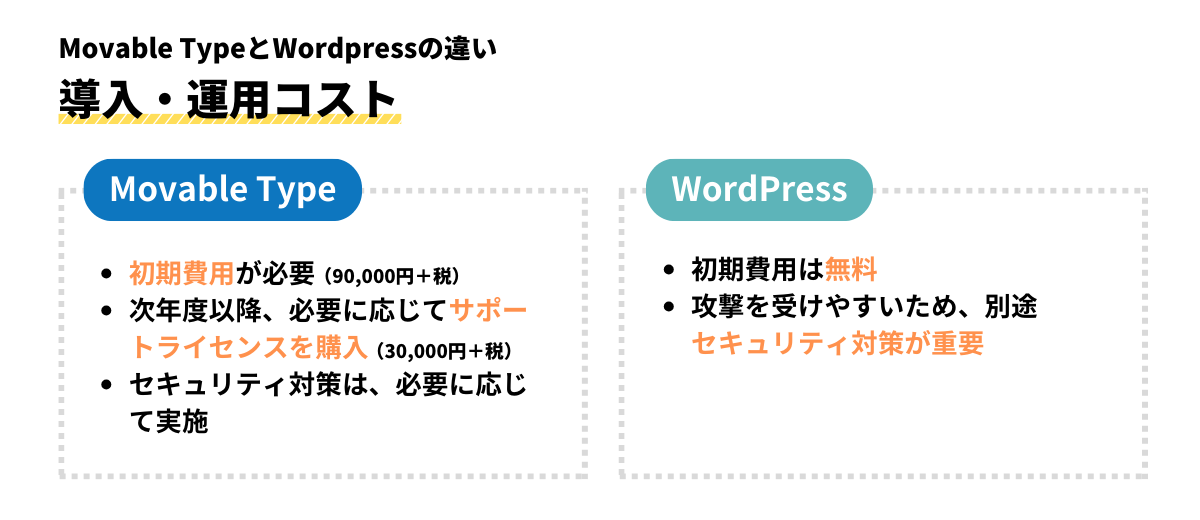
Implementation/Operation Costs: Paid Movable Type, Free WordPress
In terms of initial costs, Movable Type is paid (support licenses may also need to be purchased for subsequent years), while WordPress is free.
Also, because WordPress is free and easy to use, and is used worldwide, it is more susceptible to attacks and vulnerabilities than Movable Type. If security is a concern, consider separately implementing software to block attacks and detect tampering.
Design/Features: Custom-made Movable Type, Customizable WordPress
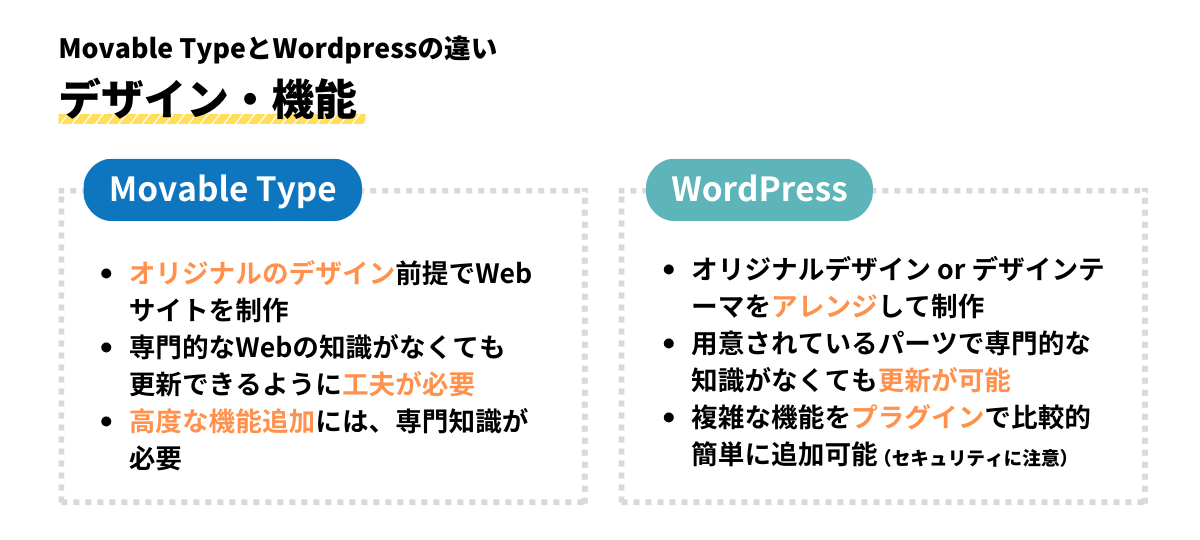
When creating a website with Movable Type, it is almost always done with an original design.
There are also cases where websites are created by customizing design themes, like with Movable Type.net, but in many cases, original designs are created as templates in Movable Type and the production proceeds.
Being able to proceed with production using an original design means that a website can be built to your preferences down to the finest details.
For example, you can customize frequently updated sections to make them easier to update, or design it so that multiple people can update it.
How ingenuity is applied to improve website usability is where the skill of the production company is visible.
In the case of WordPress, a rich variety of design templates called "themes" are available, from free to paid, making it possible to easily create a website by arranging these themes. (It is also possible to build a website using an original design without using a theme).
Additionally, many programs for using extensions called plugins are distributed, allowing you to easily implement functions such as integration with social media and adding search capabilities with plugins.
Many "themes" are created utilizing plugins in advance.
However, plugins can sometimes cause security issues, so we recommend investigating beforehand and confirming safety before introducing themes when purchasing or using them.
Regarding updates, a characteristic of WordPress is that updates can be made relatively easily with the block editor function, even without specialized knowledge of HTML or CSS.
Ease of Use: Movable Type with Official Support, WordPress with User Community
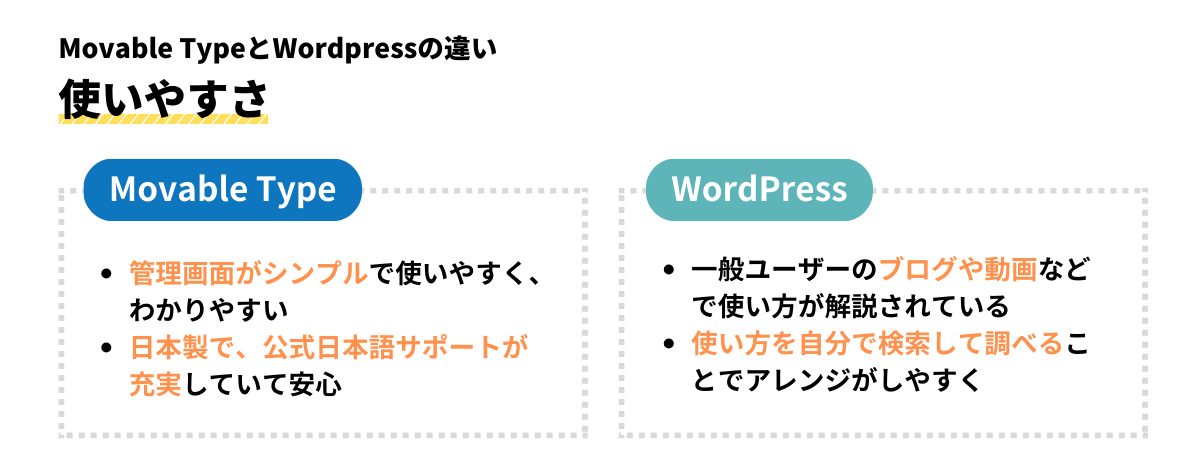
Movable Type is a CMS developed by a Japanese company. Therefore, the administration screen is simple and gives the impression of being made for Japanese users.
We often receive feedback from our clients, such as, "Although it took time at first to get used to updating, once I learned it, I could update announcements quickly." Some even ask if they can handle slightly more complex updates internally, saying, "It seems like I could update the top page myself, so is it okay if I do it?"
If you have any questions about functionality, you can also resolve them by contacting the seller's support or by referring to the official manual.
It's reassuring to know that you can contact the official support when you're in trouble.
On the other hand, WordPress is an open-source system, so it is used by many users around the world. Therefore, it is characterized by the abundance of blogs and videos that explain how to use templates and plugins.
There are also many users who explain how to post pages, so when you have trouble updating, you can search for keywords and find out. Being able to resolve doubts on the spot is a very helpful point for those in charge of updating and operation.
You may be confused at first, but this is also a user-friendly CMS once you get used to it.
Choose the best CMS for your needs
We have introduced the differences between Movable Type and WordPress from the perspective of corporate PR staff and update personnel. How was it?
Both are easy to implement and easy-to-use CMS, so it's best to choose according to the purpose of the website you are creating.
Regardless of which CMS you choose, Movable Type or WordPress, it is important to create a website that is easy to update, rich in design and functionality, and secure.
Actually, this is where the production company's skills shine.
If you are unsure about which CMS to use, please feel free to contact us.
We will listen to your requests and propose the optimal CMS and website production.